SysAdmin Tools for the iPhone

The iPhone offers a superb opportunity for system administrators to keep an eye on their computer devices, servers and network. Most web-enabled monitoring services provide an iPhone app free of charge, so you really don't need to weigh up the pros and cons! You will typically get basic reporting, maybe a few configuration/provisioning options, and usually all the alerts you have already configured.

Here are my essential tools:

Chartbeat

This gives you a neat, realtime report of visitors to your website(s), and a summary of page load times. It requires a paid monthly subscription.
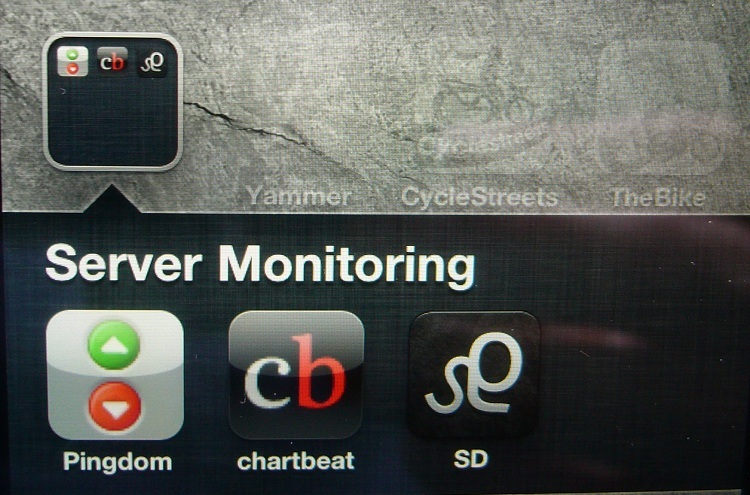
Server Density

This app is a mini view of the paid-for web service that monitors your dedicated servers and gives resource usage stats and customisable alerts.

Pingdom

A service that pings services relevant to web hosting, Pingdom can flag up issues with your site connectivity. It has many POPs (points of presence) to give you a broader picture, and will alert you when your site is down.


Comments

It's quiet in here...Add your comment

John Swindells

John Swindells I am a career professional in software development, becoming proficient in various systems and languages since 1992. In recent years I have been especially active in web and mobile app projects. I stepped down in April ... (more)

Do It Yourself!

Do It Yourself! Doing it yourself is a great way to save money, re-use things and have fun at the same time! There is a huge array of skills that you can acquire as a DIYer, but your learning curve can be as steep or shallow as you like ... (more)

iPhone Bike Accessories

iPhone Accessories for Cyclists The iPhone has been around for a few years, and in that time lots of cycling apps and accessories have appeared to make it an essential device on the open road. (more)

iPhone 4

The iPhone 4 Do you own a phone that doesn't do much (except make calls), but would find sat-nav (GPS), social networking and email capabilities useful? If so then you should seriously consider getting an iPhone. Not necessarily an iPhone ... (more)

Using a road bike for Time Trialling

Bikes customised for time trialling are great. They are designed from head to toe with a focus on aerodynamics and comfort, making sure that you stay in your 'tuck' position as much as possible. However, there can be very good reasons for ... (more)

Don't let your child's iPhone or iPad store payment information!

Have you heard of in-app purchases? If you haven't now, you might have by the time your credit card bill or bank statement comes in. It's extremely easy to spend money inside iPhone and iPad apps, and you may not realise that the high-tech ... (more)

How to check chain stretch

Bike chains are the same all around the world, made of links half an inch long. During its lifetime it will gradually stretch, depending on how much load you put it under, and if it stretches too much then it will start to wear out other ... (more)

What's new in iOS-6

Apple has launched its new flagship phone, the iPhone 5, and at the same time has released its latest mobile operating system (iOS-6) to anybody who can't afford the upgrade. Any iPhone from the 3GS upwards can be upgraded, and here are the ... (more)

Commute harder with Strava!

It's hard to describe just how simple and effective Strava is. You will either love it or just not get it. If you enjoy riding your bike or running and aren't fussed how fast you're going or whether you're improving, Strava has nothing for ... (more)

Don't let your mobile bill roam free

Going abroad with your smart-phone? Understand roaming! Nowadays there's no excuse to be 'ignorant' of the colossal charges you could incur if you access the internet from your phone whilst in another country; there are countless reports ... (more)

Keeping your iPhone secure

Apple has recently bumped up its security procedure, by asking subscribers for three questions and answers that can be used to verify their identity in case their password is lost (or stolen!). In addition to this, Apple tells us what to ... (more)

How to make a cat tree

Making a cat tree is fun and easy, as long as you have a few basic DIY skills and tools. The only tools you need are a saw, drill, screwdriver, file and knife. As long as you can use these tools safely then you should get on ok. Why build ... (more)

Get your Content Labelled!

It's time to start labelling your content. If you're one of those web publishers who spends a lot of time writing (or sourcing) decent content and making sure that it looks good for the visitor, then you should also care about how it looks ... (more)

Solved: the Zoomed-In Unlock Screen

Hitting the power button on my iPhone this evening, I was shocked to discover that the screen was zoomed in - the 'Unlock' slider was massive, so large that I couldn't even see the chunk to drag across! My first thought was to turn it off and ... (more)

Related Reading

Popular Searches